Students often begin research with a broad topic but need support turning it into a focused, manageable process. This adaptable lesson plan helps instructors guide students from an initial question to a set of credible sources they can save, organize, cite, and revisit.
When to use this lesson plan? Whether you’re in an introductory course on composition or research specifically, the lesson place is most helpful at the nascent phase of research: getting your students oriented with search and understanding primary sources.
The lesson is supported by two resources that you can copy and adapt to your teaching environment:
- The Lesson Plan outlined below to prepare and teach the lesson. It includes key points, suggested activities, and links to related resources. The key points also appear in the corresponding speaker notes in the slide deck.
- Research on JSTOR slide deck: Created by JSTOR Education, this customizable deck provides a visual guide for classes and training sessions.
Together, these materials offer a flexible starting point. You might use the slides to guide a live demonstration, refer to the Instructor’s Notes for discussion prompts, and select activities based on your students’ experience and the time available.
The lesson plan is released under CC0 licensing, so you can edit and reuse it to meet your pedagogical goals.
A short session can help students access JSTOR, create personal accounts, and begin searching. With more time, students can compare search results, revise their search terms, explore different source types, and organize what they find. We’ve included approximate timing for both instruction and activities so you can build the session that works for your class.
Learning objectives
This lesson plan helps students move through a connected research process: searching for information, evaluating and refining their results, saving useful materials, and citing the sources they plan to use.
By the end of the lesson, students should be able to:
- Conduct basic and advanced searches
- Refine searches using different approaches and tools
- Explore journal articles, book chapters, research reports, images, and primary sources
- Save and organize materials in Workspace
- Share, export, and cite sources
- Understand the value of preserving useful content for later research
The student’s path through a research session
The following outline follows the path students might take on JSTOR—from gaining access and exploring available content to building a collection of sources they can revisit and use. The full sequence takes approximately 30–45 minutes, but instructors can select or expand sections based on their goals.
1. Get oriented and access JSTOR (5-10 minutes)
Begin by helping students understand what JSTOR is, how it fits into their institution’s library resources, and how they can access it. Show the basic browser features and explain how primary sources and journals function as peer-reviewed sources.
Cover
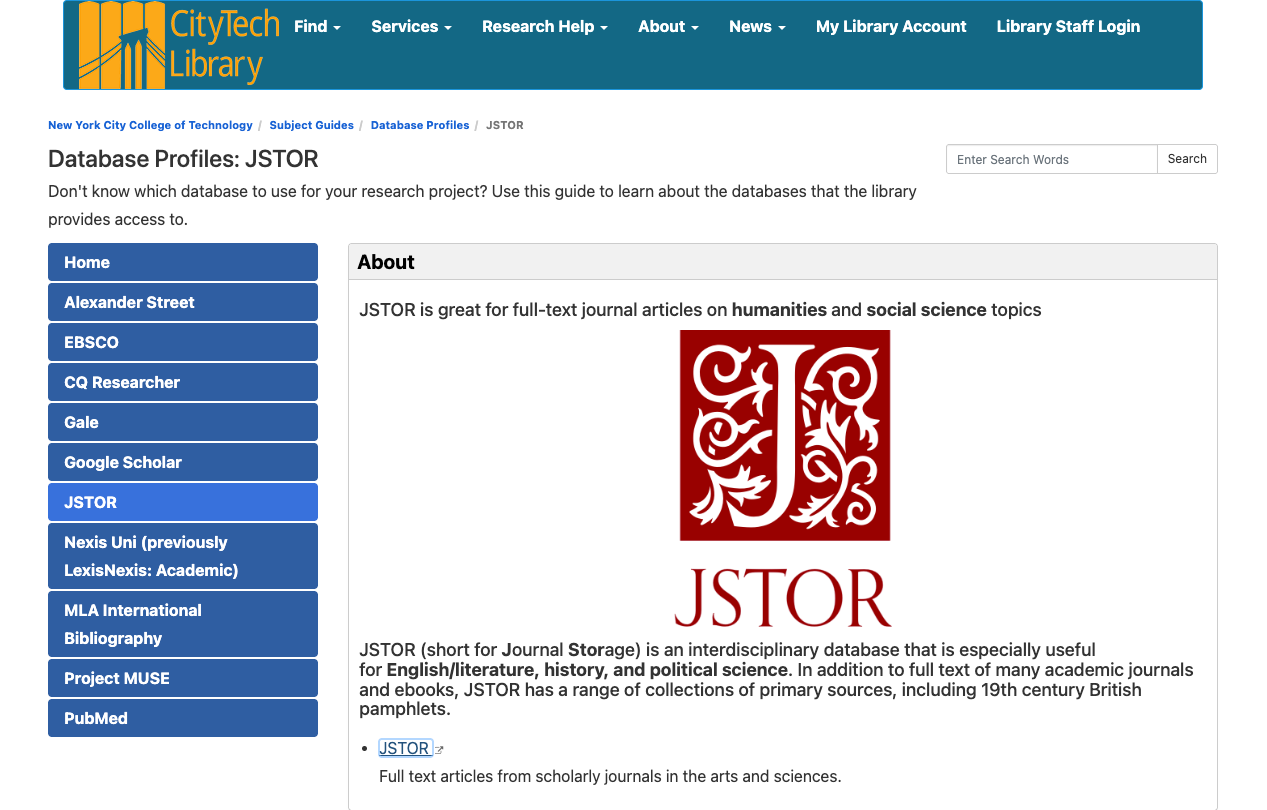
- What JSTOR is: JSTOR is a digital library that brings together scholarly journals, books, research reports, images, and primary sources for teaching, learning, and research.
- How JSTOR fits into the library materials available at your institution: Explain how JSTOR complements your library’s catalog, databases, and other research tools—and when students might choose it for their research.
- How to access JSTOR through your institution: Show students how to connect through the library website or their institution’s sign-in process so they can use the content available to them. The access route will vary from institution to institution, but often found on the library website.
2. Explore the types of content available (3 minutes)
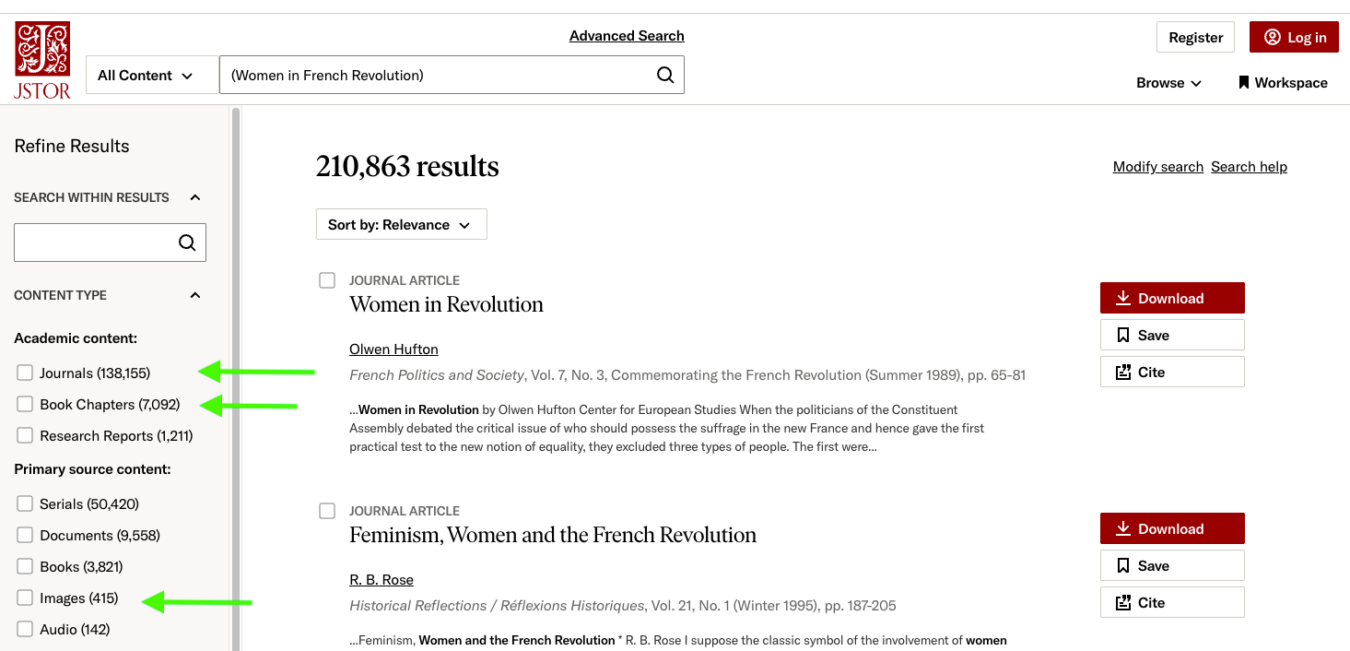
Introduce the range of materials they may encounter. A search might surface journal articles, book chapters, research reports, images, or primary sources—each offering a different way into a topic.
Cover:
- Journals, books, and research reports: Journal articles help students enter scholarly conversations, while book chapters can provide broader context or a sustained examination of a topic. Research reports often offer accessible overviews of emerging scholarship, policy questions, and current issues.
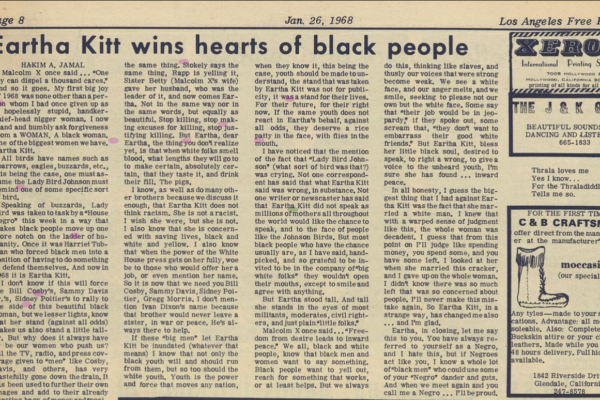
- Images and primary sources: Images and primary sources—including documents, audio, video, historic publications, and rare books—give students direct evidence from a particular time, place, or community. Examining these materials alongside scholarship can add visual and historical context while helping students develop their own interpretations.
- How different source types may support different research needs: The most useful source type depends on the student’s question: secondary scholarship can provide context and analysis, while primary sources allow students to examine original evidence. Comparing several formats can also reveal different perspectives and help students identify gaps that call for further research.
What is a primary source?
Primary sources are original materials used by historians to reconstruct a certain event in the past or moment in history.
What is a secondary source?
A secondary source is a contemporary document, book, or article that analyzes, evaluates, and synthesizes information from primary sources.
Source: UCLA Department of History
3. Begin with a basic search (5 minutes)
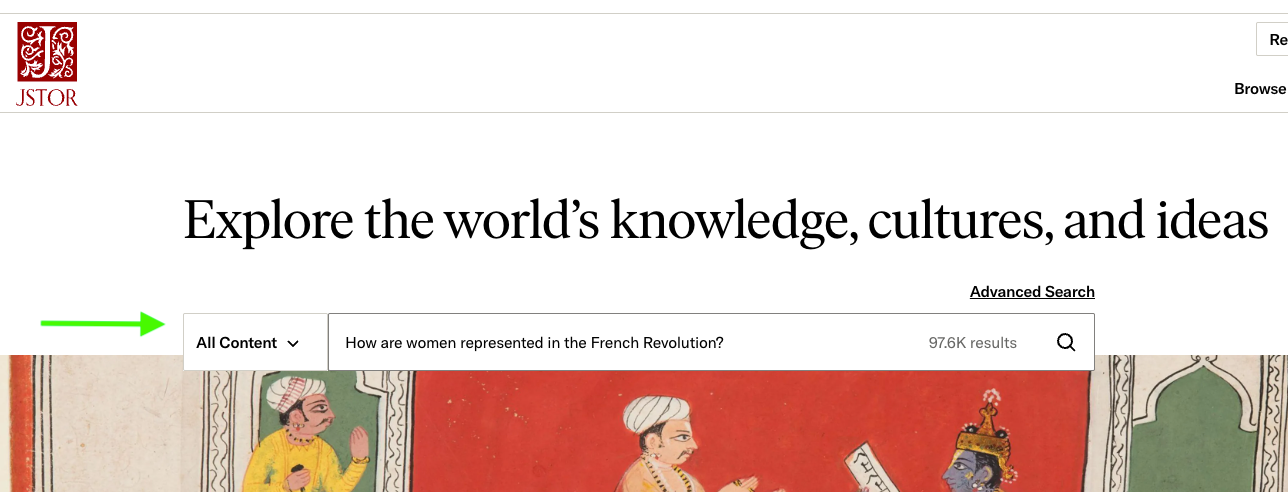
Next, show students how to turn a topic or question into an initial search and begin narrowing the results. Experiment with different research questions from the class.
Cover:
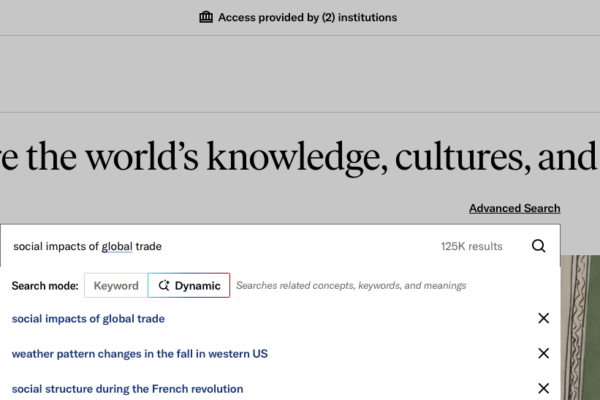
- Using the search bar: Enter keywords, phrases, author names, or titles to begin exploring a topic and see how JSTOR interprets the search.
- Limiting searches by content category: Narrow the results to academic content, such as journal articles and book chapters, or to primary sources, such as images and documents.
- Navigating the results page: Review titles, creators, publication details, and result previews to identify promising sources and discover useful search terms.
- Applying search filters: Use filters such as content type, publication date, and subject to focus the results on materials most relevant to the research question.
Encourage students to notice how each choice changes their results. This helps reinforce that searching is an iterative process rather than a single query.
4. Refine the search and explore connections (7 minutes)
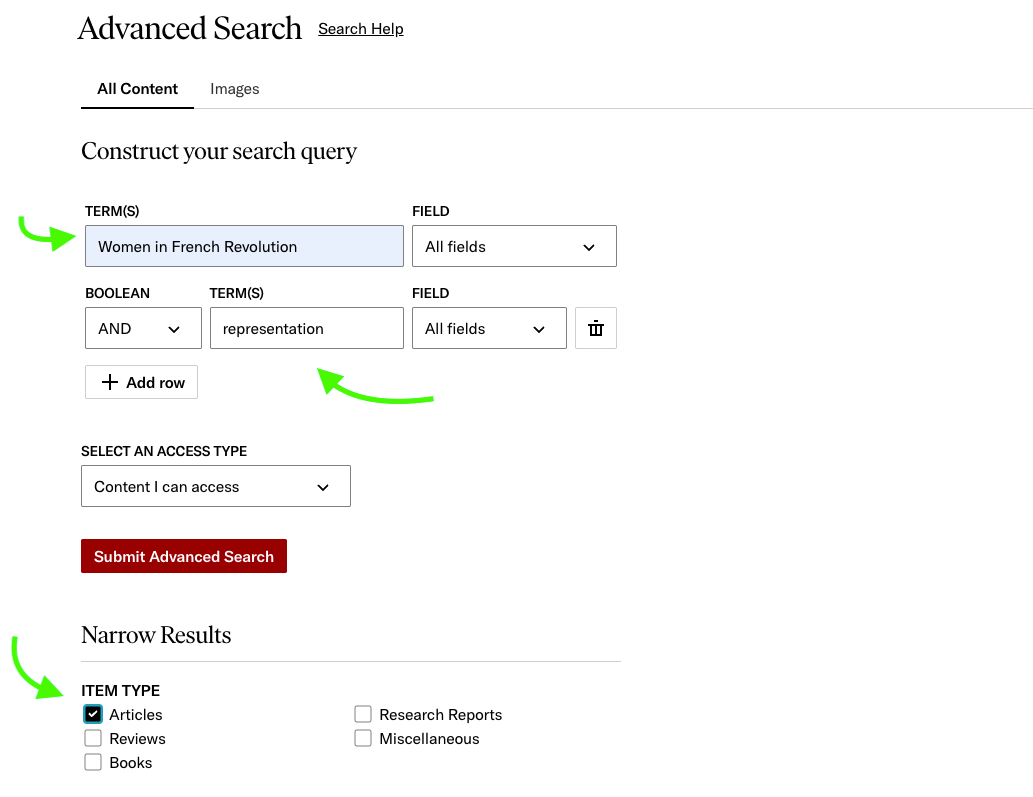
Once students have tried a basic search, introduce tools that help them revise their approach, investigate related ideas, and follow connections between sources.
Cover:
- Advanced Search options, including Boolean operators: Combine terms with AND, OR, and NOT, or search specific fields, to make a query broader, narrower, or more precise.
- Browsing by subject, title, or collection: Browse subjects, publication titles, and collections to discover relevant material beyond the results of a keyword search.
- Exploring the item page: Review the abstract, publication details, subject terms, and other available information to assess a source and understand its context.
- Using related materials and citation links to continue researching: Follow “Cited by” and “Related items” links to find connected scholarship, trace ideas across sources, and identify new directions for research.
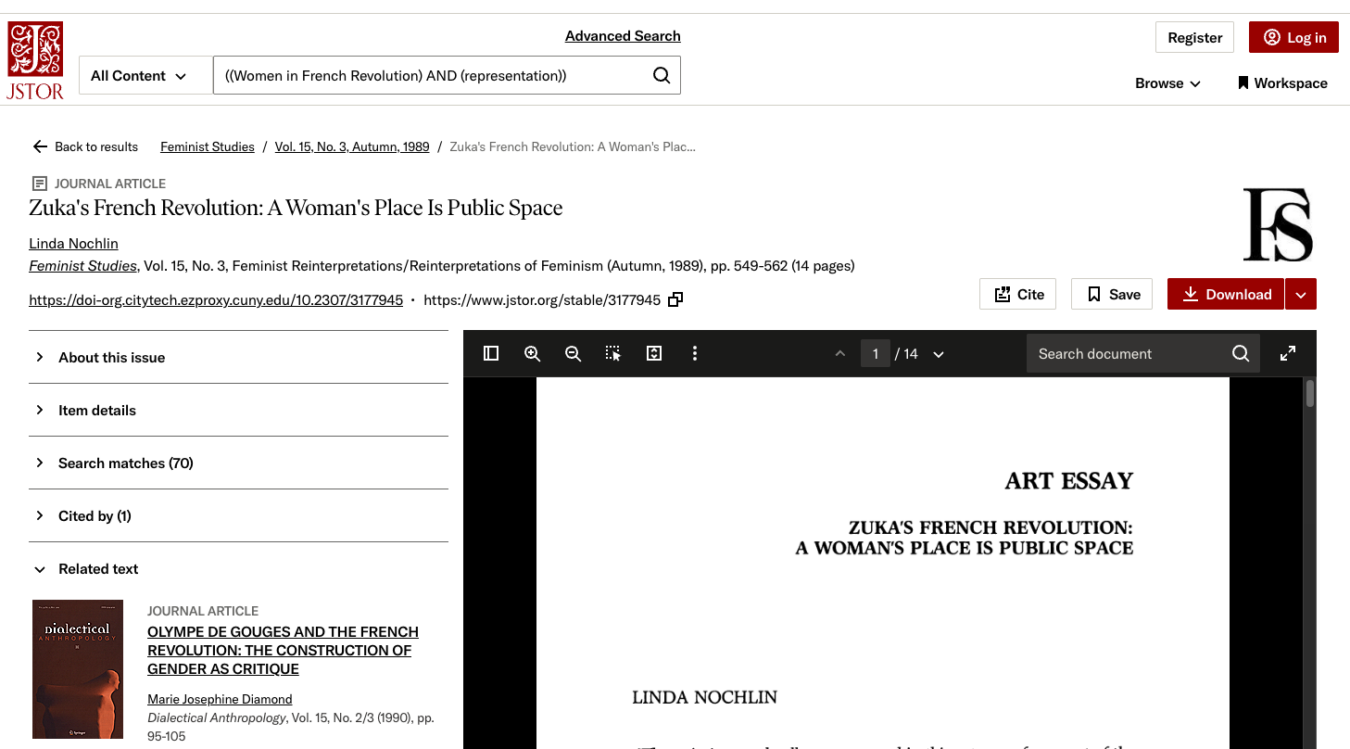
If time allows, ask students to compare searches or revise terms based on class participation. This gives them practice responding to results and choosing a more productive search path.
5. Build a collection in Workspace (5 minutes)
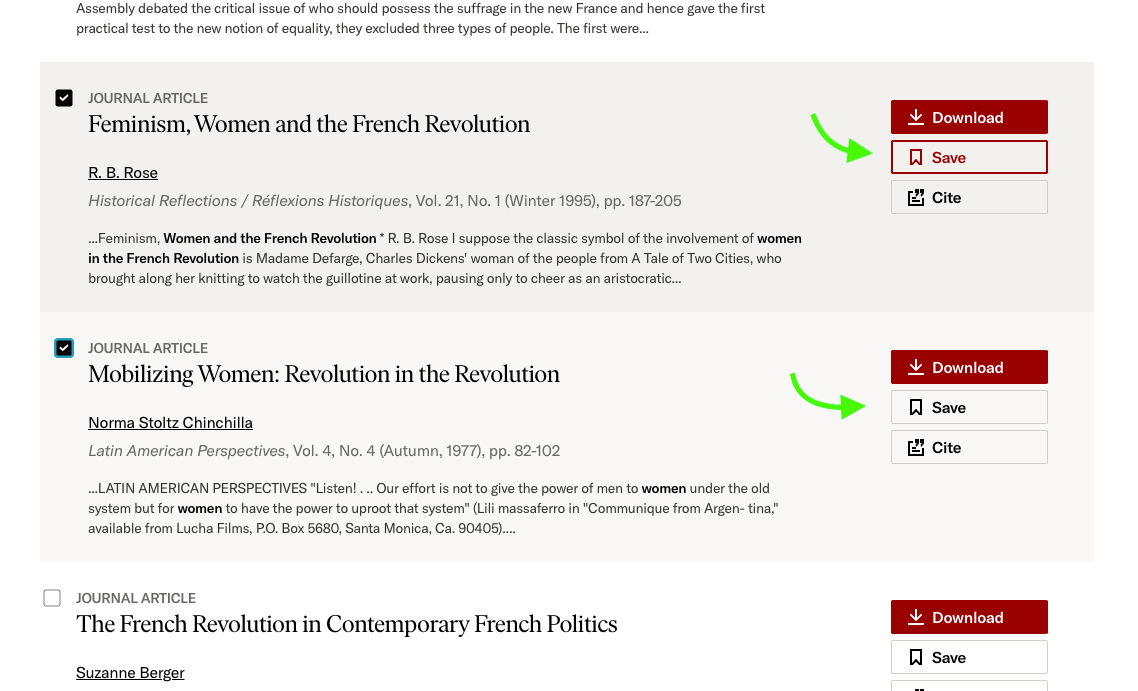
Searching becomes more useful when students can preserve promising sources and return to them later. Introduce Workspace as the bridge between discovery and using sources in an assignment.
Cover:
- Saving and organizing materials in Workspace
- Finding the Workspace button throughout JSTOR
- Grouping materials by topic, assignment, or line of inquiry
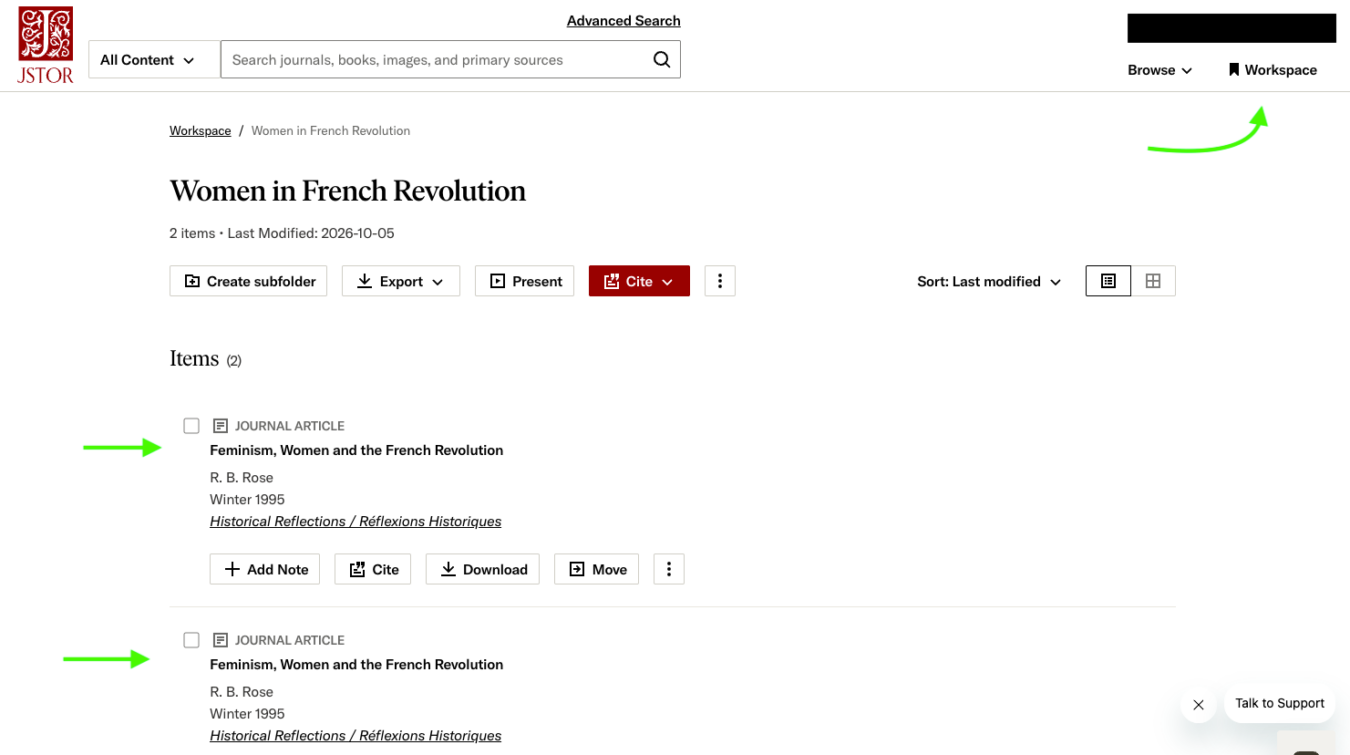
Students can use this step to turn a collection of individual search results into a manageable set of research materials.
6. Cite and use sources (2 minutes)
Conclude by showing students how to give credit to the sources they have found and prepare them for use in their work.
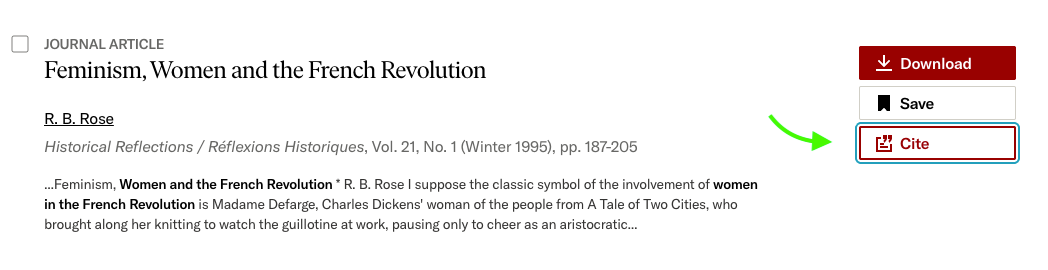
Cover:
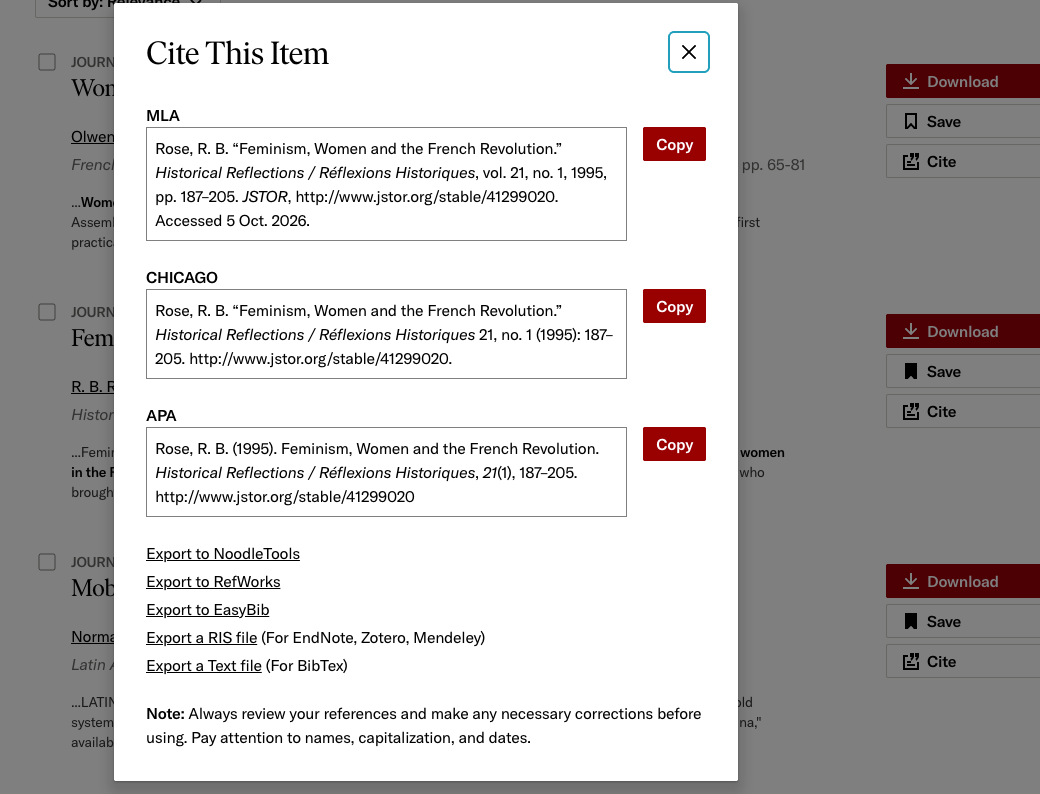
- Creating an auto-generated citation from an item page
- Creating citations in bulk from a search results page
Taken together, these steps show students how research develops: they begin with a question, explore and refine their searches, identify useful materials, organize what they find, and cite the sources they use.
Related resources
- JSTOR Support
- JSTOR teaching resources
- JSTOR video tutorials
- Additional resources for each section are included in the Instructor’s Notes and on each section’s title slide in the slide deck.